
Decap Stream
Turn any web page into an RTMP/HLS stream. Chromium renders the page, ffmpeg captures it, MediaMTX publishes it. Built for NOC environments and digital signage.
## Screenshots

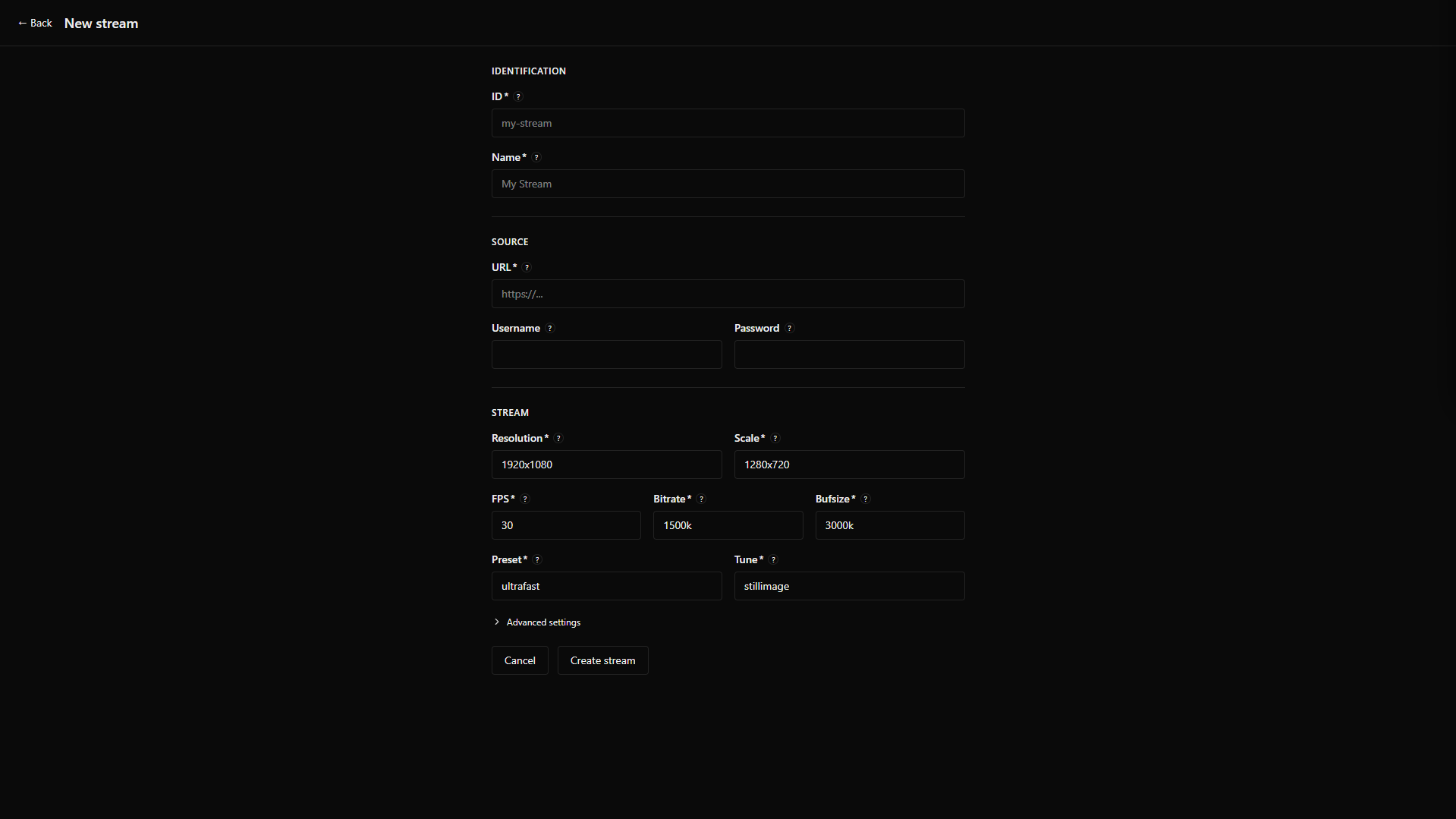
---
## How it works
Each stream runs its own isolated stack inside the container:
```
Xvfb (virtual display)
└── Chromium (opens the URL)
└── ffmpeg (x11grab → libx264 → RTMP → MediaMTX → HLS)
└── x11vnc (live VNC access via noVNC)
```
All processes are managed by Supervisord. The web UI is a Next.js app that controls everything via a REST API.
## Features
- **Stream any URL** — if it loads in a browser, it streams
- **Dashboard with live thumbnails** — captured directly from the Xvfb display, refreshable on demand
- **Inline VNC** — inspect any stream's virtual display without leaving the UI (`/vnc/{id}`)
- **Autologin with CDP detection** — configure credentials per stream; on restart, queries Chrome DevTools Protocol to skip login if the session is still alive
- **Persistent desired state** — streams remember if they were running or stopped and restore automatically on container restart
- **Optional authentication** — set `AUTH_USER` + `AUTH_PASS` to password-protect the entire UI; rolling 30-day session, no login required while active
- **Fully configurable encoding** — resolution, scale, FPS, bitrate, preset, tune, GOP, threads, all per stream
- **GPU acceleration** — optional per-stream Chromium GPU flag (disabled by default for container compatibility)
- **Built-in HLS player** — watch any stream in the browser; also serves a standalone embeddable HTML page per stream
## Quick Start
```yaml
# docker-compose.yml
services:
decap-stream:
image: ghcr.io/riguettodev/decap-stream:latest
container_name: decap-stream
restart: unless-stopped
shm_size: "2gb"
security_opt:
- seccomp:unconfined # required for Chromium syscalls
environment:
# TZ: America/Sao_Paulo
# AUTH_USER: admin # optional: enables login if both are set
# AUTH_PASS: secure_password
ports:
- "3000:3000" # Web UI — main entry point
- "127.0.0.1:6080:6080" # VNC — localhost only; remote access via tunnel/VPN
# - "1935:1935" # RTMP — expose only for external ingest (e.g. OBS)
# - "8888:8888" # HLS — internal only; proxied through the UI at /api/hls/
volumes:
- streams:/app/data/streams # Persistent: streams.json, chrome profiles, thumbs
# - logs:/app/data/logs # Optional
volumes:
streams:
```
```bash
docker compose up -d
```
Open **http://localhost:3000** and add your first stream.
> `seccomp:unconfined` is required because Chromium uses syscalls blocked by Docker's default seccomp profile.
> `shm_size: 2gb` prevents Chromium from crashing on `/dev/shm` exhaustion under load.
## Ports
| Port | Default | Description |
|------|---------|-------------|
| `3000` | exposed | Web UI (Next.js) — sole public entry point |
| `6080` | localhost only | noVNC (token-based routing to all streams) |
| `1935` | commented out | RTMP ingest (MediaMTX) — only needed for external ingest |
| `8888` | commented out | HLS output (MediaMTX) — proxied through Next.js at `/api/hls/` |
## RTMP & HLS URLs
Each stream gets a slug ID you define (e.g. `grafana-prod`):
| Protocol | URL |
|----------|-----|
| RTMP ingest | `rtmp://:1935/live/` |
| HLS manifest | `http://:3000/api/hls/live//index.m3u8` |
| VNC (inline) | `http://:3000/vnc/` |
## Stream Configuration
| Field | Default | Description |
|-------|---------|-------------|
| `id` | | Unique slug (lowercase, numbers, hyphens) |
| `name` | | Display name |
| `url` | | URL to open in Chromium |
| `user` / `pass` | | Credentials for autologin (optional) |
| `delay` | `15s` | Seconds before ffmpeg starts (allows page to load; also offsets first thumbnail) |
| `resolution` | `1920x1080` | Virtual display and capture size |
| `scale` | `1280x720` | Output video resolution |
| `fps` | `30` | Capture framerate |
| `bitrate` | `1500k` | Video bitrate |
| `bufsize` | `3000k` | Encoder buffer size |
| `preset` | `ultrafast` | x264 preset |
| `tune` | `stillimage` | x264 tune (`stillimage` for dashboards, `zerolatency` for dynamic content) |
| `gop` | `60` | Keyframe interval (auto-calculated as 2x FPS in the UI) |
| `threads` | `0` | ffmpeg encoding threads (`0` = auto-detect) |
| `gpu` | `false` | Enable Chromium GPU acceleration (requires host GPU + container access) |
## Architecture
```
┌─────────────────────────────────────────────────────────────┐
│ Container │
│ │
│ Next.js :3000 ──API──► Supervisord │
│ ├── /api/hls/ ──────► MediaMTX :8888 (internal) │
│ └── /vnc/{id} ──────► noVNC :6080 (localhost) │
│ └── per stream: │
│ ├── xvfb (display) │
│ ├── chromium (browser) │
│ ├── autologin (CDP) │
│ ├── x11vnc (VNC) │
│ └── ffmpeg (encode) │
│ │ │
│ MediaMTX :1935/:8888 ◄────RTMP────────┘ │
└─────────────────────────────────────────────────────────────┘
```
- `streams.json` flat file + one directory per stream under `/app/data/streams/{id}/`
- Each stream generates a `stream.conf` from a template; Supervisord picks it up via `[include]`
- Display number `:n` is auto-allocated; VNC port = `5900+n`, debug port = `9221+n`
## Development
```bash
npm install
npm run dev # dev server — supervisorctl calls are mocked automatically
npm run build # build Next.js standalone
npm run lint
./build.sh # interactive Docker build
```
In dev mode (`NODE_ENV !== "production"`), all `supervisorctl` and `captureThumb` calls are replaced with console logs.
## Stack
- [Next.js 15](https://nextjs.org/) + TypeScript + Tailwind CSS v4
- [Supervisord](http://supervisord.org/)
- [MediaMTX](https://github.com/bluenviron/mediamtx)
- [HLS.js](https://github.com/video-dev/hls.js/)
- [noVNC](https://novnc.com/)
- Chromium, ffmpeg
## License
MIT